Start
Getting started
Create your page, find your way around the editor and share your link.
Create your account
- On the home page, type the address you want (getshinelink.com/yourname) and tap Start free.
- Enter your email and a password, then open the confirmation link we email you.
- Start your 7-day free trial. A card is required, and you can cancel anytime.
Your page starts with a few sample blocks, so you never face an empty screen. Edit them or delete them.
Find your way around the editor
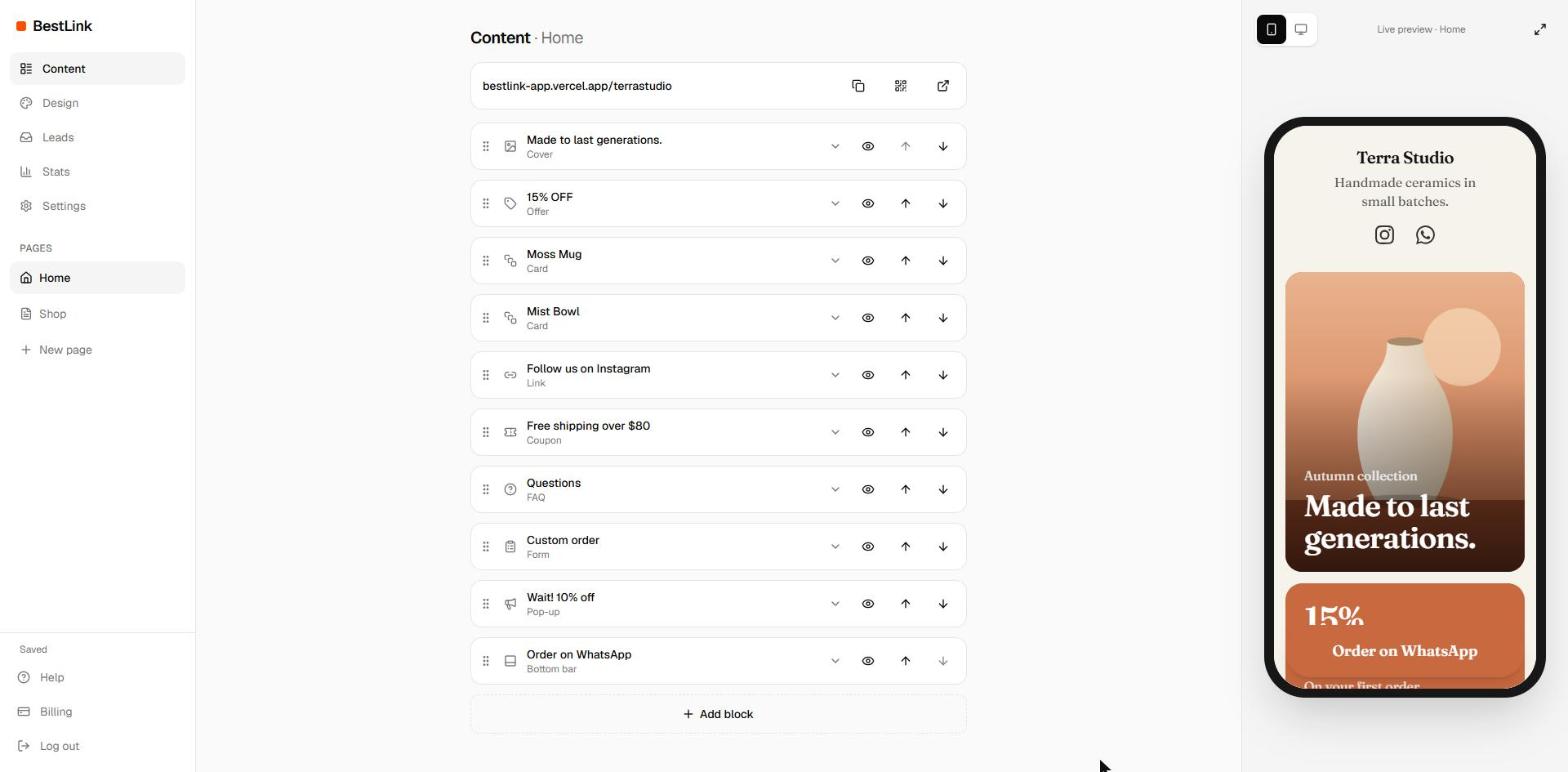
- Left menu: Content, Design, Leads, Stats and Settings, plus the list of your pages.
- Middle: the blocks of the page you are editing, in the order visitors see them.
- Right: a live preview. Drag its edge to make it bigger (double-click the edge to reset), switch between phone and computer, or expand it.
Everything saves on its own. The bottom of the menu shows Saving... and then Saved.
Share your link
Your page is live at getshinelink.com/yourname from the first minute. The bar above your blocks has three buttons:
- Copy: paste the link in your Instagram, TikTok or WhatsApp bio.
- QR code: download it as PNG or SVG for packaging, flyers or your counter. Scans show up in Stats as their own source.
- Open: see your page as visitors do, in a new tab.
Next steps
- Add blocks for your offers, products and contacts.
- Make it look like your brand with a style, a background and your colors.
- Collect contacts with a form or a pop-up.