Grow
Forms and leads
Collect contacts from visitors and get them wherever you work.
Two ways to collect
- Form block: choose which fields to ask for (name, email, WhatsApp, message), the button text and the thank-you message.
- Pop-up with Ask for email or WhatsApp first: visitors leave a contact to see the coupon code.
The Leads page
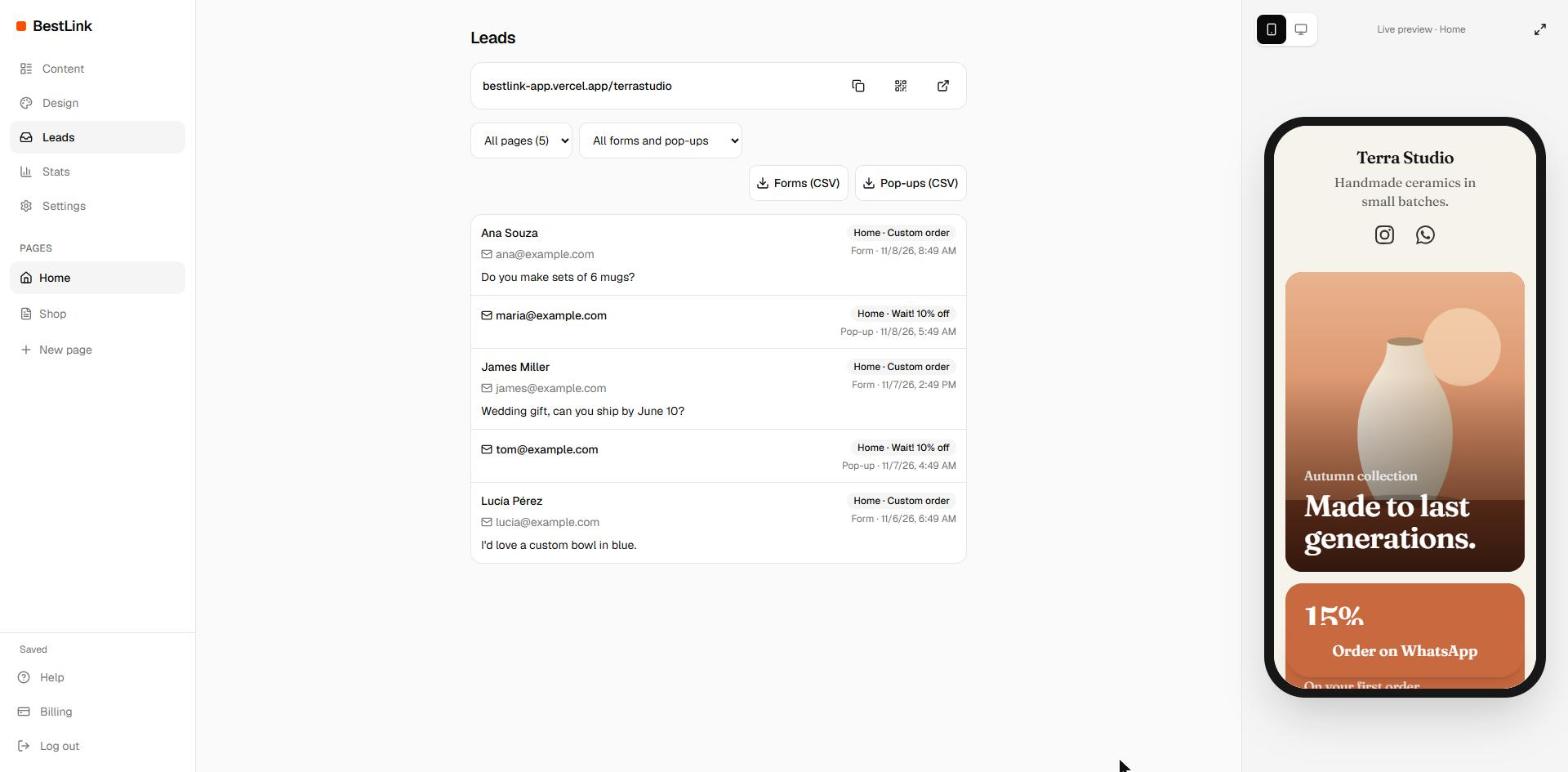
- Every response in one place, newest first, with the page and the form it came from.
- Filter by page and by form.
- Tap an email to reply, or a WhatsApp number to open a chat.
- Download everything as CSV (forms and pop-ups separately) for Excel or Google Sheets.
Get an alert for every new lead
- In Settings, under Lead alerts, paste a webhook address from Zapier, Make or n8n.
- Tap Send a test and check that it arrives.
- From then on, each new response is sent there within seconds, ready to become an email, a WhatsApp message or a spreadsheet row.
Each alert is a JSON message like this one:
{
  "type": "form",
  "block": "a1b2c3",
  "data": { "name": "Ana", "email": "ana@example.com", "message": "Hi!" },
  "page": "yourname",
  "created_at": "2026-11-08T14:03:00.000Z"
}
Pop-up contacts arrive with "type": "lead" and the contact in data.contact.
The address must be public and start with https://.