shinelinkDocs
Open the editor

Start

  • Getting started

Build your page

  • Blocks
  • Design
  • Link buttons
  • Extra pages

Grow

  • Forms and leads
  • Stats

Account

  • Settings
  • Custom domain
  • Plan and billing
Stats

Start

  • Getting started

Build your page

  • Blocks
  • Design
  • Link buttons
  • Extra pages

Grow

  • Forms and leads
  • Stats

Account

  • Settings
  • Custom domain
  • Plan and billing

Grow

Stats

See how many people visit, what they tap and where they come from.

What you see
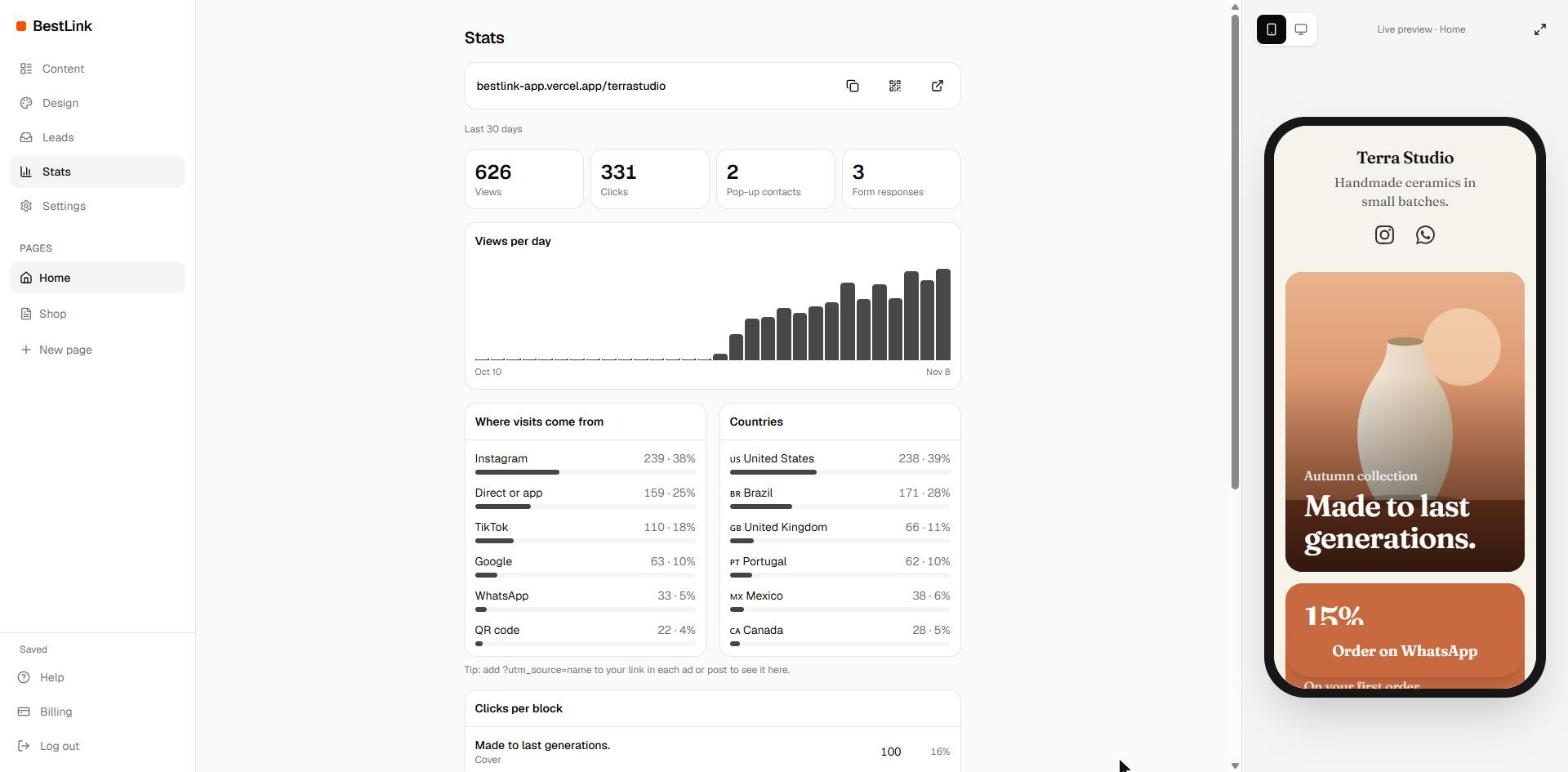
Stats for the last 30 days. Sample data.
  • Views and clicks in the last 30 days.
  • Views per day, as a chart.
  • Clicks per block: which buttons work and which don't.
  • Where visits come from: Instagram, TikTok, Google, WhatsApp, QR code and more.
  • Countries your visitors come from.

Know which post brought each visit

Add ?utm_source=name to your link in each ad or post, like getshinelink.com/yourname?utm_source=story. That name then shows up in Where visits come from.

Measure your ads

To track your Meta, Google or TikTok ads, add your pixel IDs in Settings.

PreviousForms and leadsNextSettings

On this page

  • What you see
  • Know which post brought each visit
  • Measure your ads
shinelink
© 2026 Shinelink