Build your page
Link buttons
Icons, highlights, colors, and links to your own pages.
Open a link
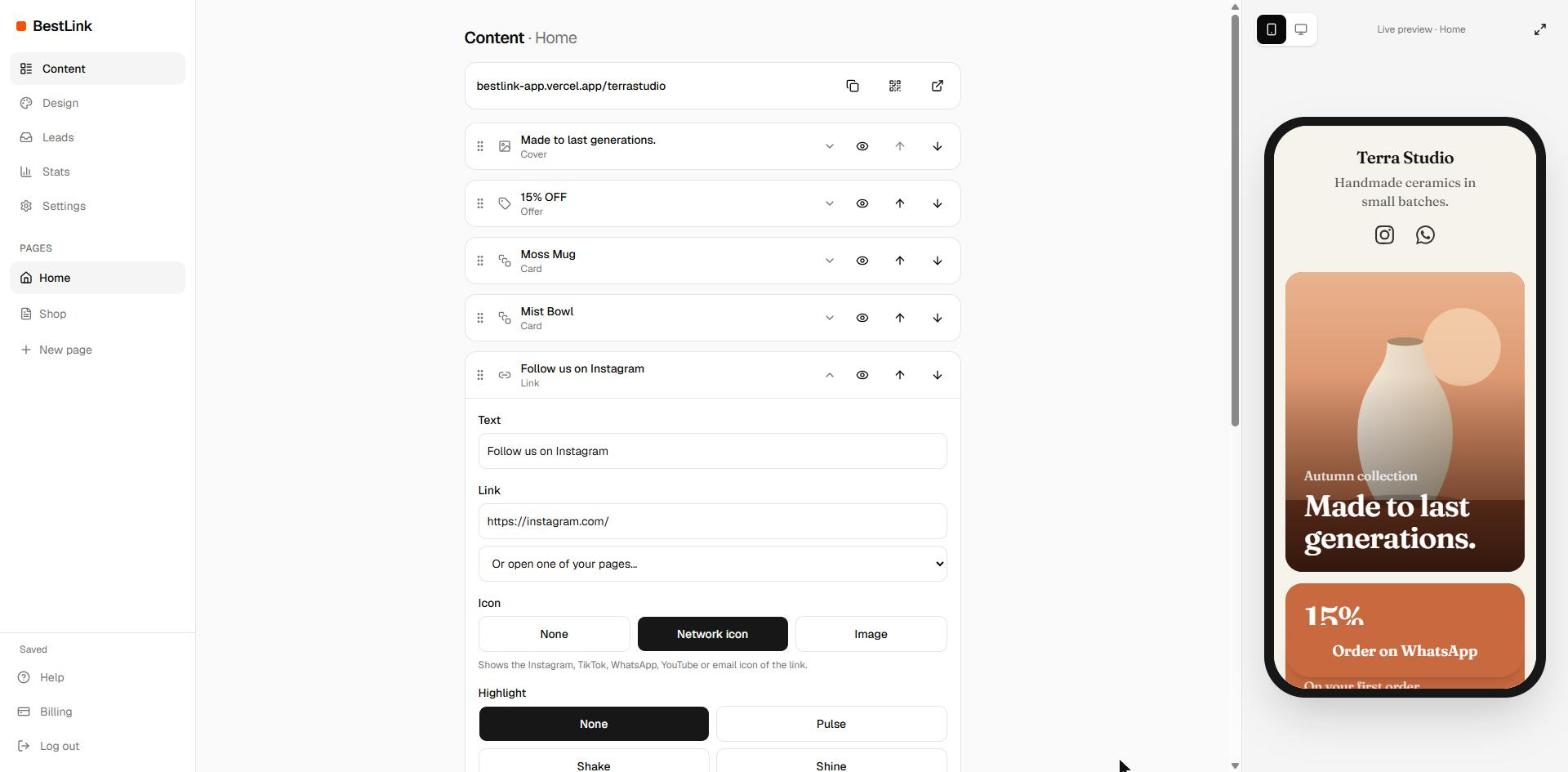
Tap a Link block in Content to see all its options.
Icon
- Network icon: shows the Instagram, TikTok, WhatsApp, YouTube or email icon, based on where the link goes.
- Image: upload your own picture, like a product photo or a logo.
Highlight
Make your most important button move with Pulse, Shake or Shine. Use it on one button only, so it stands out. Visitors who prefer less motion see it still.
Color
Button color changes this button only. The text turns black or white on its own to stay readable. Use the style color goes back to the style.
Where a link can go
- Any website. You can leave out https://.
- Email:
mailto:you@yourbrand.com - Phone:
tel:+15551234567 - WhatsApp:
https://wa.me/15551234567 - One of your own pages: pick it in Or open one of your pages. See Extra pages.